

LOGICSTEEL XR VS STEEL PROJECTS EASY CHECK
Which quality inspection solution is best suited for steel fabrication?
LogicSteel XR and Easy Check use augmented reality to improve quality control by comparing digital models with physical assemblies. Easy Check provides a tablet-based inspection workflow using imported IFC and STEP files, while LogicSteel XR is purpose-built for steel fabrication, combining hands-free XR inspections, direct engineering integration, and real-time quality visibility. If you're looking to reduce preparation time, improve inspection efficiency, and maintain quality on large steel assemblies, LogicSteel XR offers a fabrication-focused approach.
GET EXPERT ADVICE

WHY CHOOSE LOGICSTEEL XR?



PURPOSE-BUILT FOR STEEL FABRICATION
LogicSteel XR is designed specifically for steel fabrication workflows. From engineering and production to quality control, every aspect of the platform is focused on helping fabricators improve accuracy, reduce rework, and streamline inspections throughout the fabrication process.
QUALITY CONTROL WHERE THE WORK HAPPENS
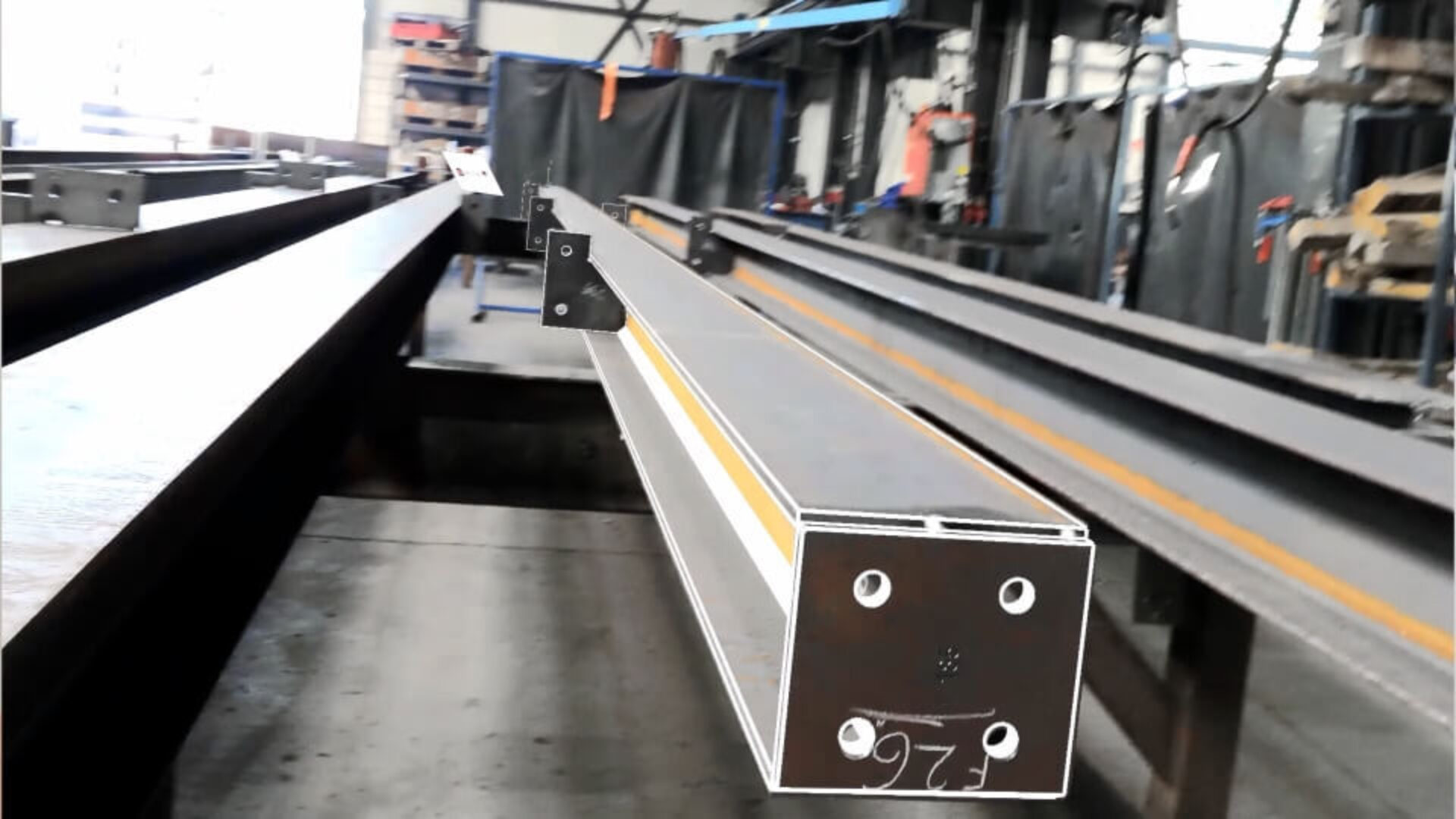
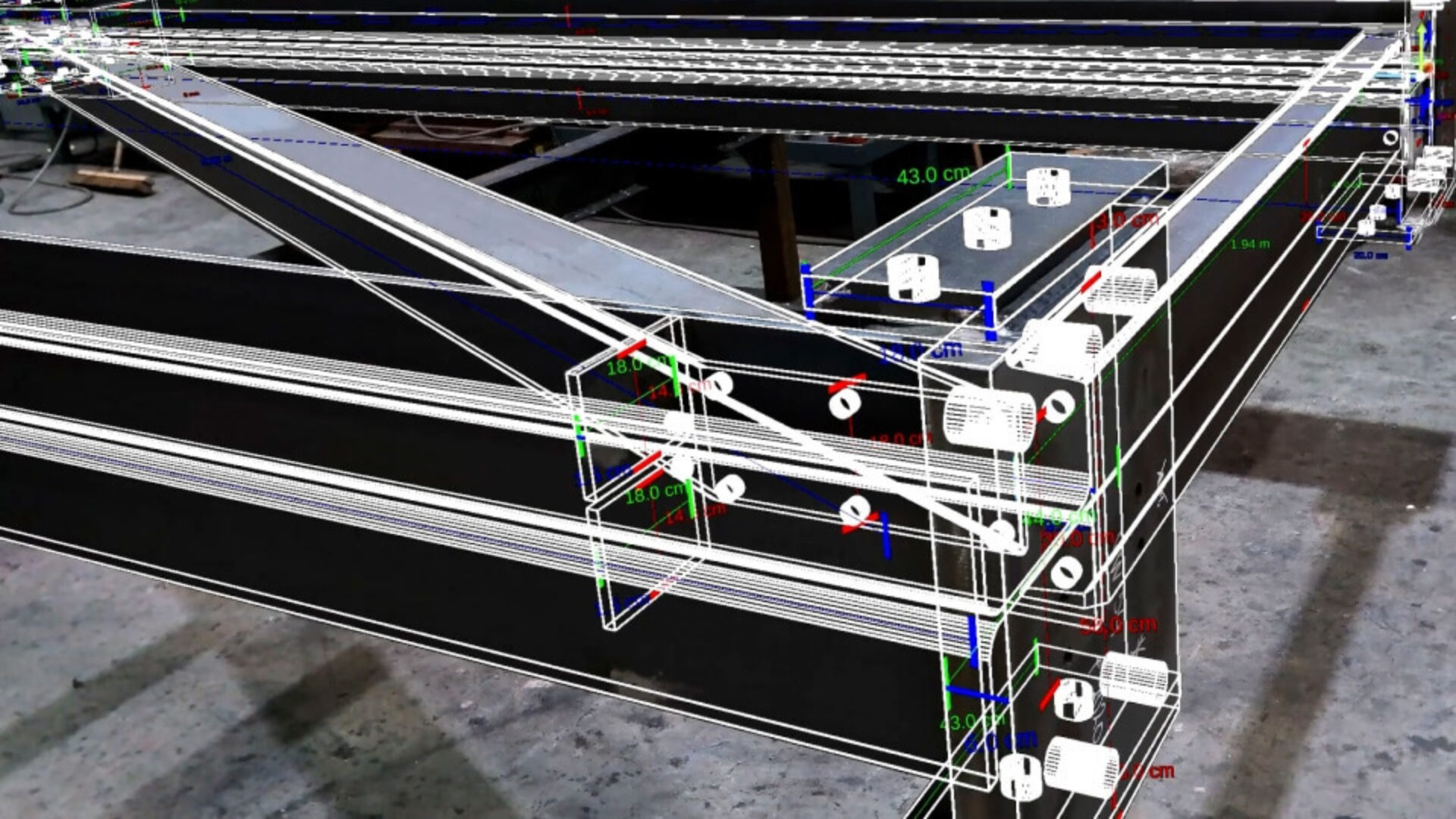
Inspectors can compare digital models directly against physical assemblies on the shop floor. Digital overlays help teams verify parts in real time, reduce dependence on printed drawings, and improve communication between engineering, production, and quality departments.
DIGITAL DOCUMENTATION & TRACEABILITY
Capture photos, videos, comments, and deviations during inspections and store them digitally in a centralized environment. This creates a complete inspection history, improves traceability, and provides clear documentation for internal quality processes and customer requirements.
WHAT MAKES LOGICSTEEL XR DIFFERENT?
DIRECT INFLUENCE ON PRODUCT DEVELOPMENT
With LogicSteel XR, customers work directly with the company that develops the software. Feedback from fabricators, inspectors, and quality managers can directly influence future functionality and workflow improvements. This creates a flexible solution that continuously evolves to meet the changing needs of the steel fabrication industry.

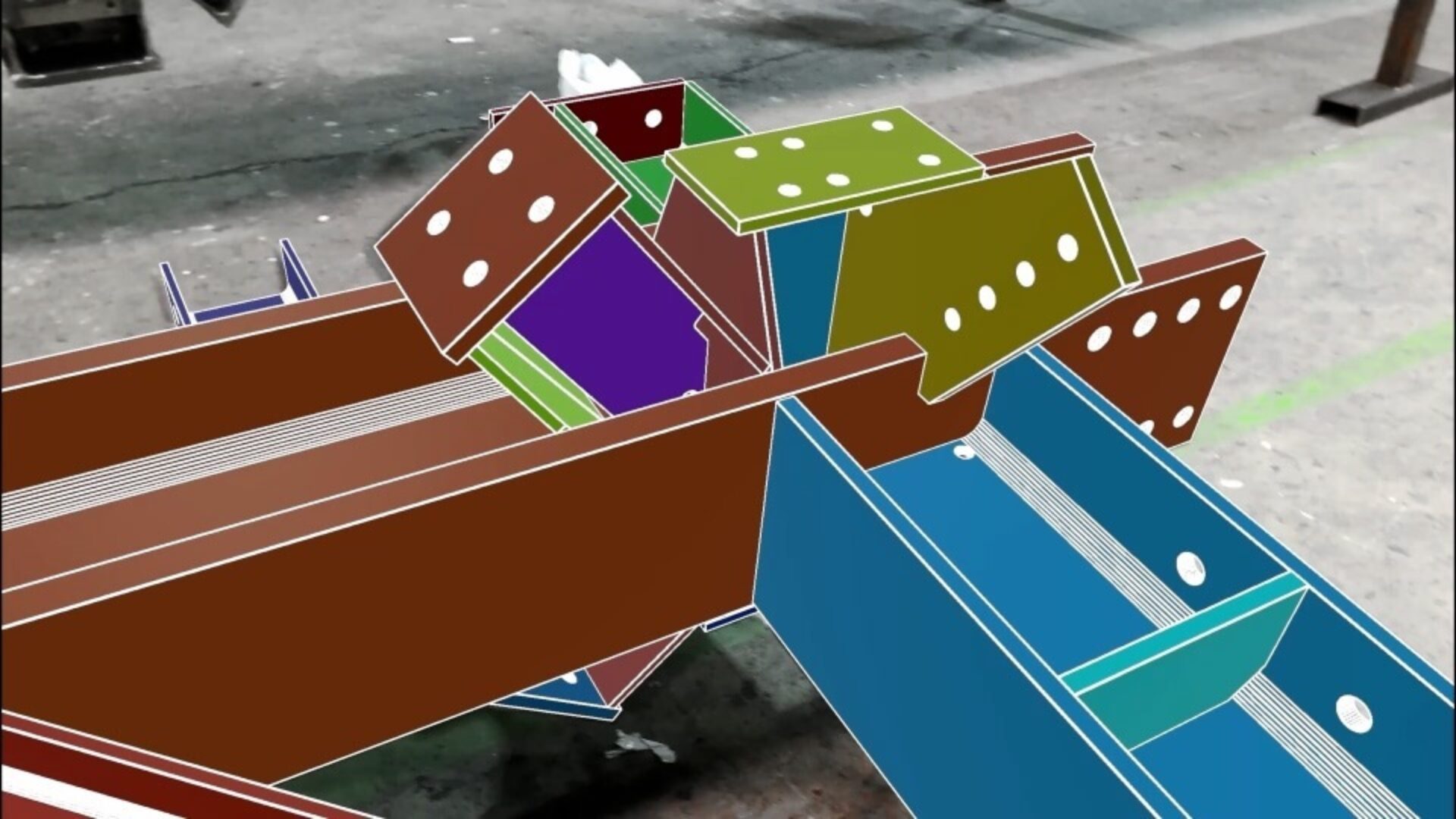
DIRECT TEKLA & SDS2 INTEGRATION
LogicSteel XR connects directly to Tekla Structures and SDS2, eliminating the need for IFC or STEP exports. Engineering data flows directly into the inspection workflow, reducing preparation effort and minimizing version-control risks.
FULLY HANDS-FREE INSPECTIONS
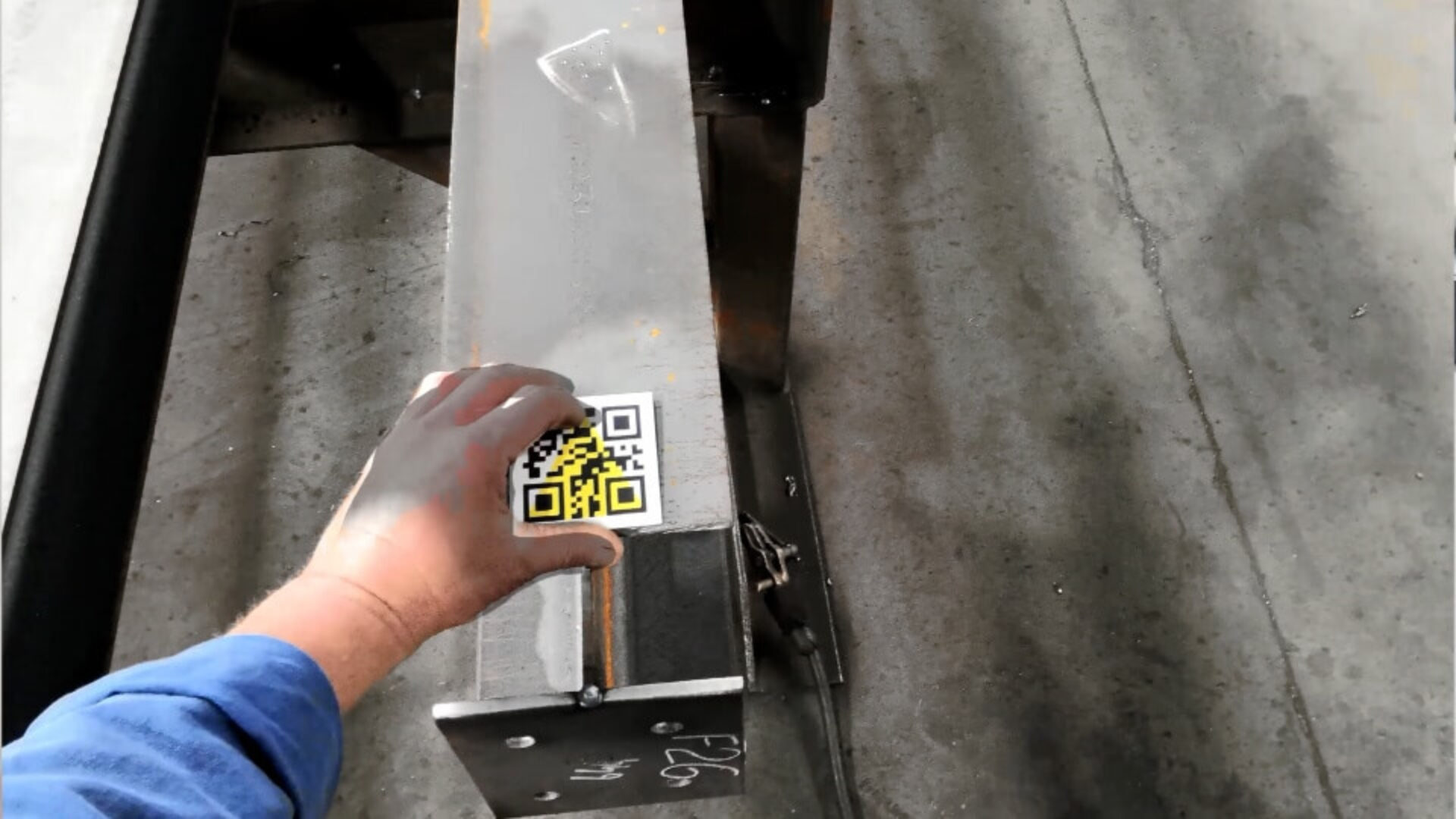
Unlike tablet-based inspection workflows, LogicSteel XR runs on Magic Leap 2 smart glasses, allowing inspectors to keep both hands free while moving around assemblies. This improves mobility, safety, and inspection efficiency.
BUILT FOR LARGE STEEL ASSEMBLIES
LogicSteel XR is designed specifically for large steel fabrication projects and supports inspection of assemblies up to 18 meters in length, helping fabricators maintain quality and accuracy at full scale.
REAL-TIME QUALITY VISIBILITY
Inspection progress, findings, photos, videos, and reported deviations are immediately available through the XR Backoffice, providing supervisors and quality managers with live insight into shop-floor quality activities.
WHICH SOLUTION FITS YOUR INSPECTION WORKFLOW?
LogicSteel XR and Easy Check both support augmented reality-based quality inspections. The main differences are in workflow, engineering integration, inspection mobility, and steel fabrication-specific functionality.
LogicSteel XR
- Fully hands-free inspections with Magic Leap 2.
- Direct Tekla Structures and SDS2 integration.
- No IFC or STEP exports required.
- No model preparation or conversion steps.
- Single-device workflow from start to finish.
- Built for large steel assemblies up to 18 meters.
- Real-time quality visibility through XR Backoffice.
- Cloud-based reporting with photos and videos.
- Purpose-built for steel fabrication quality control.
Steel Projects Easy Check
- iPad Pro-based inspection workflow.
- Requires IFC or STEP model exports.
- CAD files must be imported before inspection.
- Focused on model-to-part visual comparison.
- Automatic calibration and setup.
- Error detection and report generation.
- Screenshot-based documentation.
- General AR quality inspection workflow.
FAQ
Find answers to common questions about LogicSteel XR and Steel Projects Easy Check.
Do you have questions, need support, or want to learn more about our products and services, our team is here to help.
Both solutions use augmented reality to support quality inspections. Easy Check focuses on tablet-based inspection using imported CAD files, while LogicSteel XR provides a hands-free XR workflow with direct Tekla Structures and SDS2 integration, purpose-built for steel fabrication.
No. LogicSteel XR integrates directly with Tekla Structures and SDS2, allowing inspection data to flow directly from the engineering environment without manual exports or file conversion steps.
Hands-free inspection allows inspectors to move safely and efficiently around assemblies while keeping both hands available. This improves mobility, streamlines inspections, and makes it easier to work on large fabrication projects.
Yes. LogicSteel XR is designed for large-scale steel fabrication and supports accurate inspections of assemblies up to 18 meters in length.
Yes. LogicSteel XR offers native integration with both Tekla Structures and SDS2. This eliminates export and conversion steps, reduces setup time, and helps ensure inspectors always work with the most up-to-date engineering information.
LogicSteel XR includes a cloud-based XR Backoffice that provides immediate access to inspection progress, findings, photos, videos, and reported deviations. Quality managers and supervisors can monitor inspection status in real time without waiting for reports to be uploaded after the inspection is complete.
By eliminating manual model preparation, providing direct engineering integration, and enabling inspectors to work hands-free, LogicSteel XR streamlines the entire inspection workflow. Faster inspections, better visibility, and improved issue detection help reduce RFIs, prevent rework, and improve overall quality performance.
Fabricators working with Tekla Structures or SDS2 often prefer LogicSteel XR because its native integrations eliminate manual exports and provide a more seamless workflow from engineering to inspection.