 GET QUOTE
 NEWSLETTER
 LOGIN
LOGIN

LOGICSTEEL CADCAM FOR WELD
LogicSteel CADCAM automates the entire weld‑preparation process, taking CAD models to production‑ready output without manual programming, making weld prep accessible to every user.
- Automates the full weld‑prep workflow, taking each CAD model quickly toward ready‑to‑produce CAM files.
- Shows what can be produced from your model and why, giving users clear insight to support confident production decisions.
- Generates all CAM files automatically, ensuring fast, consistent work preparation without manual input.

OVERVIEW

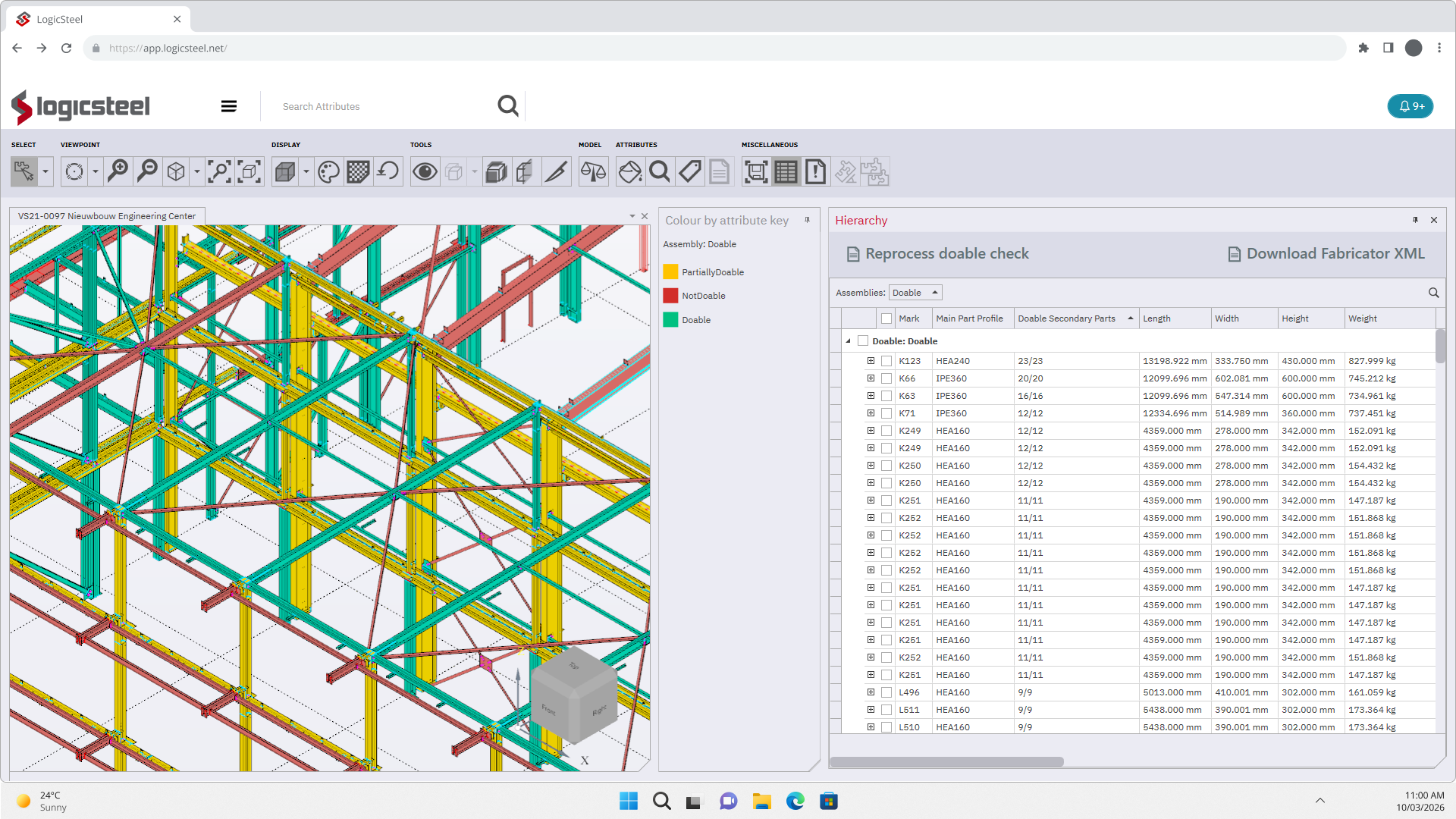
LogicSteel CADCAM automatically transforms welded CAD assemblies into production‑ready CAM instructions delivered from the cloud. The software prepares models without manual input or programming, applying automated model assessment, alignment, and weld analysis to generate CAM files for the Voortman Fabricator. This automation supports consistent and repeatable quality and makes weld preparation accessible to the entire production team.
By combining work preparation, feasibility insights, and CAM generation in a single workflow, LogicSteel CADCAM helps steel processors overcome challenges such as limited skilled labor, inconsistent results, and overloaded work preparation. Users see which assemblies can be produced and why, compare complexity, and move selected work directly to the shop floor by synchronizing the CAM files with the machine. This creates a reliable, efficient CAD‑to‑CAM process from start to finish.
FROM CAD TO CAM
STEP 1 - IMPORT AND PREPARE
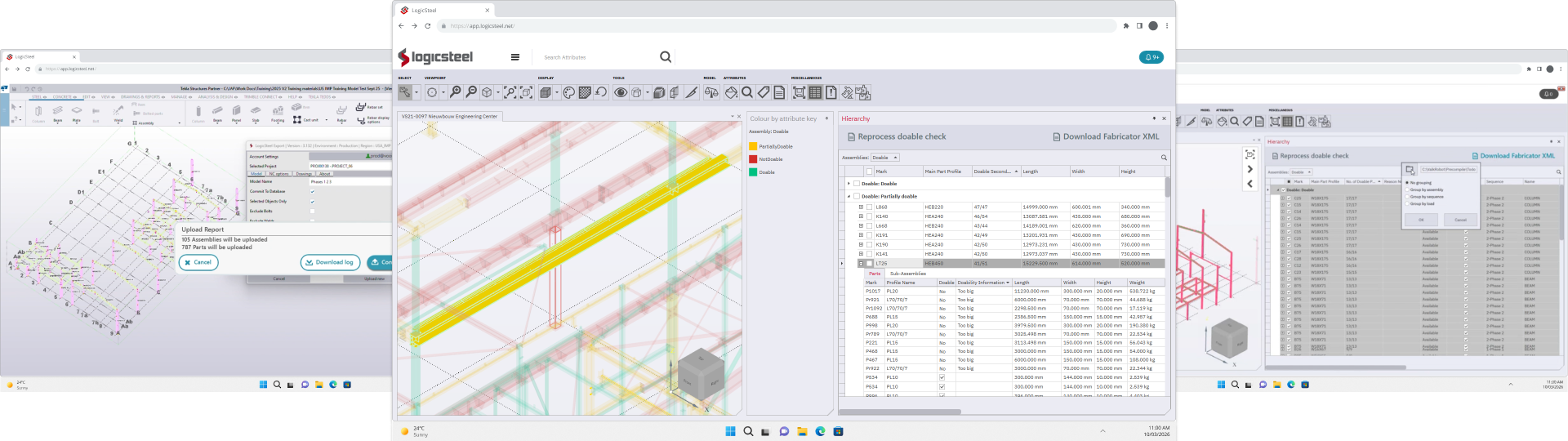
Users import their CAD models into LogicSteel CADCAM in just two clicks. The software assesses parts by material and dimensions, aligns them automatically, and validates all weld data. It detects and corrects issues like missing, overlapping, clashing, or incorrect welds, delivering clean, production‑ready files.
STEP 2 - SELECT PRODUCTION
After processing, users see which assemblies are fully or partially doable on the Voortman Fabricator, along with clear reasons why something is or isn’t producible. LogicSteel CADCAM provides reachability checks, doability checks, weld summaries, and estimated cycle times, enabling confident decisions about what is most efficient and generates the highest rate of return, and should move forward to production.
STEP 3 - PUSH TO PRODUCTION
Once assemblies are selected, users simply synchronize the automatically generated CAM files to the Fabricator. All geometry, welds, and production data have already been fully validated and prepared by LogicSteel CADCAM. CADCAM delivers complete, production‑ready instructions, so operators can start the machine immediately.
IMPORTANT BENEFITS




WELD PREPARATION FOR EVERYONE
LogicSteel CADCAM makes weld preparation accessible to everyone. No CAD/CAM specialist is needed; weld validation, model assessment, alignment, and toolpath generation are fully automated, allowing anyone to prepare work for the Voortman Fabricator with confidence.
NO PROGRAMMING REQUIRED
All programming is automated. LogicSteel CADCAM generates machine‑ready CAM files without user input, eliminating hours of manual programming, shortening lead times, and removing the need for a dedicated CAD/CAM expert.
REPEATABLE QUALITY
LogicSteel CADCAM ensures consistent results on every job. Set your welding and quality rules once, and CADCAM applies them automatically, including gap compensation and alignment logic, reducing variation and ensuring reliable, high‑quality production.
IMMEDIATE INSIGHT
LogicSteel CADCAM instantly shows which assemblies are doable or partially doable, why certain parts can’t be produced, and how long they will take. This speeds up decisions and prevents unworkable jobs from reaching the shop floor.
APPLICATIONS
SUPPORTED MACHINES
VOORTMAN FABRICATOR
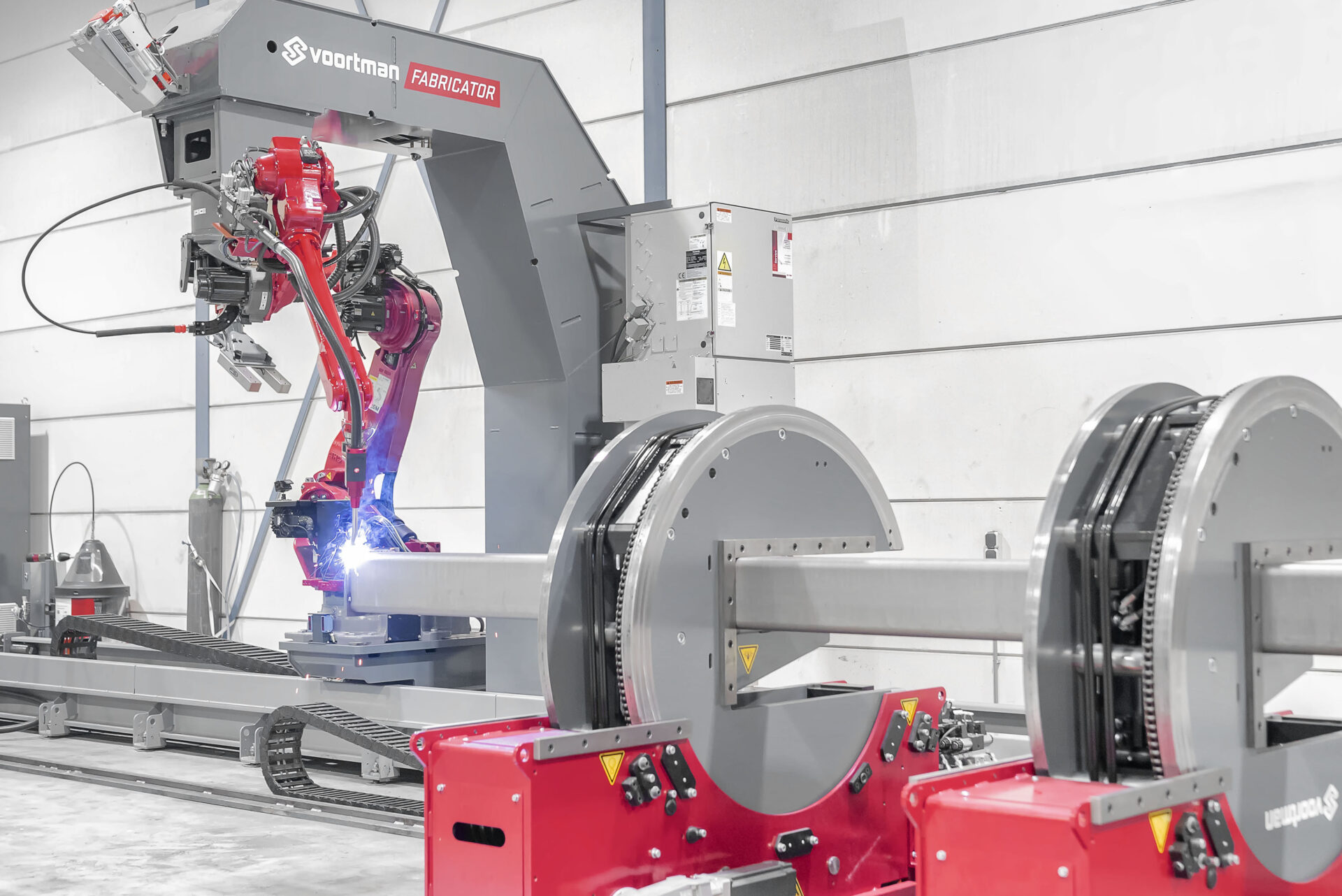
The Fabricator is the premier automated welding system for structural steel, whose flexibility lets you choose on-the-fly between Fit & Weld or only Fit. We offer the quickest turnarounds, maximum efficiency in space utilization and choice-based flexibility - that's what makes our ROI the fastest on the market.
FEATURES

DIRECT CAD INTEGRATION
Import models from your CAD environment into LogicSteel CADCAM with just a few clicks, enabling a fast and seamless transition from design to production.
AUTOMATIC MODEL ASSESSMENT
LogicSteel CADCAM assesses parts by material and dimensions, ensuring only clean, machine‑valid geometry moves forward in the workflow.
AUTOMATIC PART ALIGNMENT
Parts are aligned intelligently using hole positions and model information, ensuring accurate orientation without manual adjustments.
AUTOMATIC WELD VALIDATION & CORRECTION
LogicSteel CADCAM detects and resolves missing, overlapping, clashing, incomplete, or incorrect welds, including gap issues and swapped flange/web welds.
DOABILITY CLASSIFICATION
Instantly see which assemblies are fully doable, partially doable, or not producible and explains why. This enables quick and confident production decisions.
COMPREHENSIVE FEASIBILITY INSIGHTS
LogicSteel CADCAM delivers reachability checks, doability results, weld summaries, weld‑time estimates, giving users everything they need to choose the right assemblies for production.

LOGICSTEEL CADCAM
Across plate, profile, and automatic welding workflows, LogicSteel CADCAM speeds up the CAD/CAM process. Its cloud‑based setup, unlimited user model, and value‑based pricing keep operations efficient and help maintain the lowest cost of ownership.



Plate
Converts CAD designs for steel plates into optimized cloud‑based CAM instructions.
Profile
Converts CAD designs for steel profiles into optimized cloud‑based CAM instructions.
Weld
Converts CAD designs for the Voortman Fabricator into optimized cloud‑based CAM instructions.
QUESTIONS?
We are happy to help!
If you have any questions about LogicSteel CADCAM or need help finding the right solution for your business, feel free to get in touch with us directly. For quick answers to common questions, check out the frequently asked questions below, where we’ve compiled a list of the questions we receive most often.
LogicSteel CADCAM is weld‑preparation software for steel processing. It automatically converts CAD models into fully validated, production‑ready CAM files for the Voortman Fabricator, allowing users to prepare welding work more efficiently and without manual programming.
LogicSteel CADCAM is designed for work preparators, production planners, and anyone involved in preparing welded assemblies for the Voortman Fabricator.
Most weld‑prep solutions still rely heavily on manual work, manual validation, and manual programming.
LogicSteel CADCAM for weld takes an automation‑first approach:
- the software automatically processes the CAD model
- welds and geometry are validated and corrected automatically
- CAM files are generated without manual programming
This reduces workload and delivers consistent, reliable production results.
Manual weld preparation is time‑consuming and depends on individual experience.
With automated weld preparation:
- weld data is checked and corrected automatically
- assemblies are classified as fully doable, partially doable, or not producible
- users understand why something can or cannot be produced
- more work can be prepared in less time
- Everyone can prepare work because the process is simplified
LogicSteel CADCAM automatically validates welds and geometry, detecting issues like missing, clashing, overlapping, or incorrect welds.
This ensures that only clean, production‑ready CAD instructions reaches production.
The software is developed within Voortman Steel Machinery, a manufacturer of advanced steel‑processing machines.
This means the system understands not only nesting, but also:
- machine capabilities
- reachability and doability limits
- welding sequences and production flows
The software therefore generates CNC programs that directly match the actual behavior of the machine.
Yes. Once the model is processed and assemblies are selected, CADCAM automatically generates complete, Fabricator‑ready CAM files.
This means work preparators:
- do not need to manually program
- can send work to production more quickly